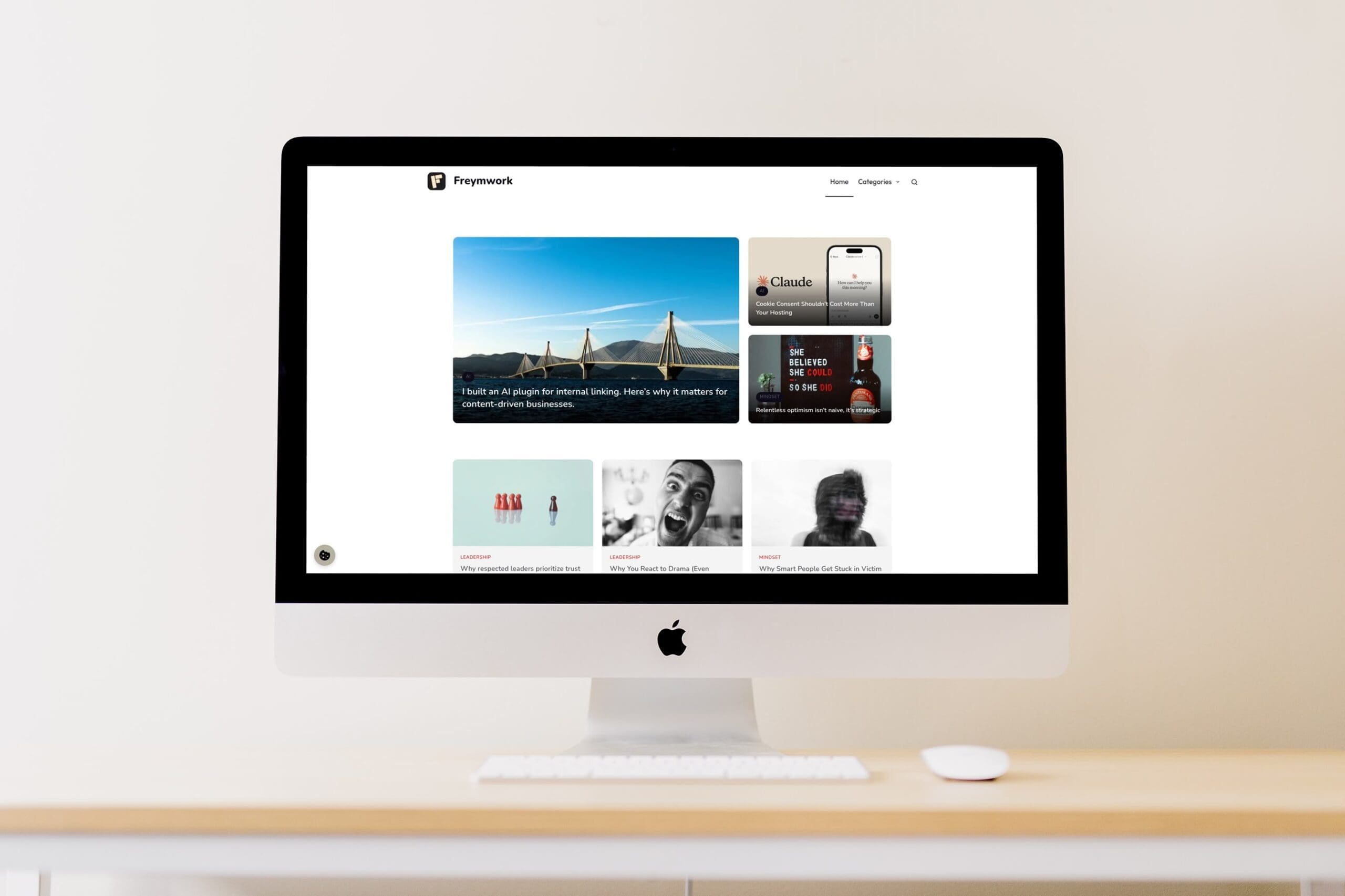
I needed a new article archive page. Not a chronological list of posts — a real page with a hero section for featured content, a grid for the rest, a compact list at the bottom, and a newsletter signup somewhere in the middle.
The problem was obvious before I started: every section would pull posts independently. The same article would show up in “Featured,” “Recent,” and “More to Read.” Or I’d spend hours manually excluding duplicates every time I published something new.
I wanted blocks that talked to each other. Blocks that knew what had already been shown.
This is how I built it – in a single workday.
Why Common Solutions Fail
Page builders can do this, technically. But they’re heavy. They add layers of abstraction you don’t need. And they create vendor lock-in that makes future changes painful.
Standard WordPress blocks don’t communicate. Each query block runs independently. There’s no shared state, no awareness of what other blocks on the page have already displayed.
Custom development is the right answer, but traditionally it means weeks of work. Writing JavaScript for the editor. PHP for the frontend. Debugging edge cases. Most solo builders don’t have that time.
The real problem isn’t technical complexity. It’s that the tooling assumes you’re either a full-stack developer with unlimited time, or a non-technical user who should accept whatever limitations come with the drag-and-drop builder.
There’s a middle path.
The Setup That Made It Possible
Three things made this build feasible in a day.
First: Blockstudio. It’s a plugin that lets you create custom Gutenberg blocks without writing JavaScript from scratch. You define attributes in a JSON file, write rendering logic in PHP, style with CSS. The editor UI is generated automatically.
Second: blockstudio-llm.txt. This is a text file Blockstudio provides that describes exactly how blocks should be structured – attribute formats, block.json conventions, PHP rendering patterns. It’s designed to be shared with AI tools. Give it to an LLM alongside your task, and the generated code actually follows the right patterns. No more fixing structural errors that come from the AI guessing how things should work.
Third: Starting with a mockup. Before writing any real code, I explained to Claude Code what I wanted to build – and asked for a stripped-down HTML mockup first. No PHP, no WordPress, just markup showing the structure. After a couple of revisions, we had an HTML file that captured everything: hero layout, grid structure, form placement, horizontal list. We were aligned on what we were building before we started building it.
This combination – Blockstudio for the foundation, the LLM file for accuracy, mockup-first for clarity – is what made a one-day build possible.
The Solution: A Block System That Talks to Itself
The system has four blocks sharing a common exclusion layer.
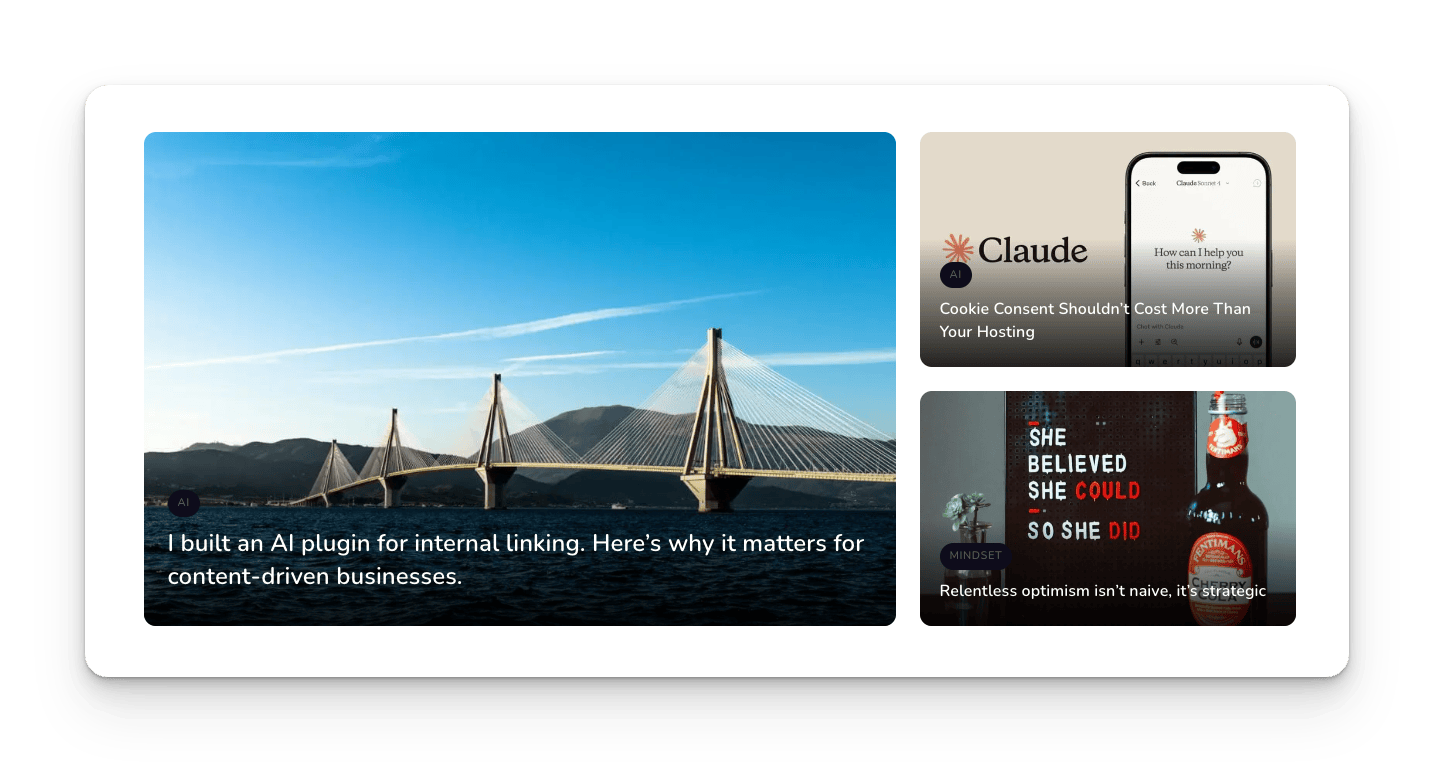
Blog Featured is the hero section. One large main article, two smaller ones beside it. You can handpick all three, pick just the main one and let the system fill the rest, or leave it fully automatic.
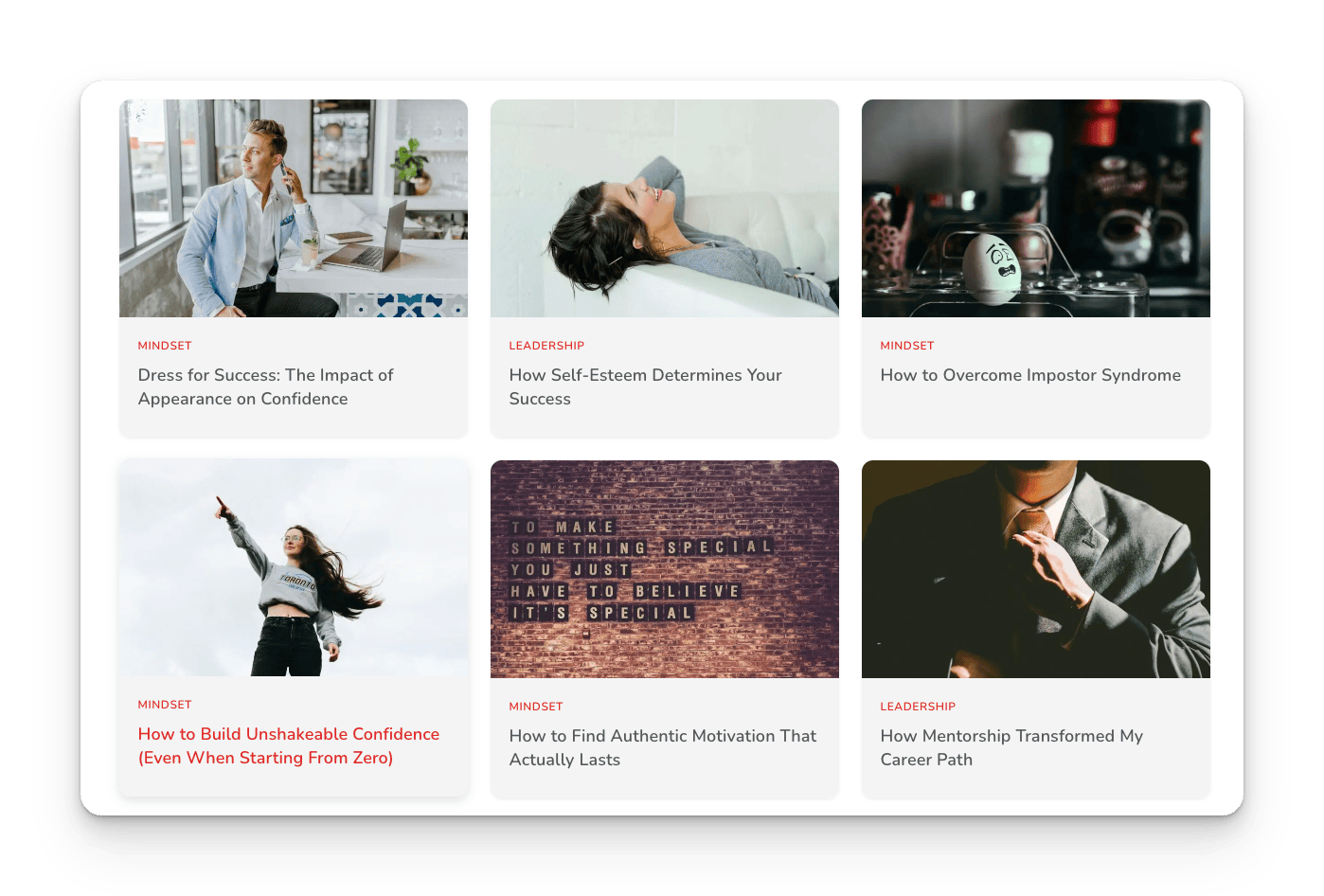
Blog Grid displays posts in a configurable grid. Choose the count, the columns, filter by category if you want. The key: it knows which posts have already been shown higher on the page and excludes them automatically.
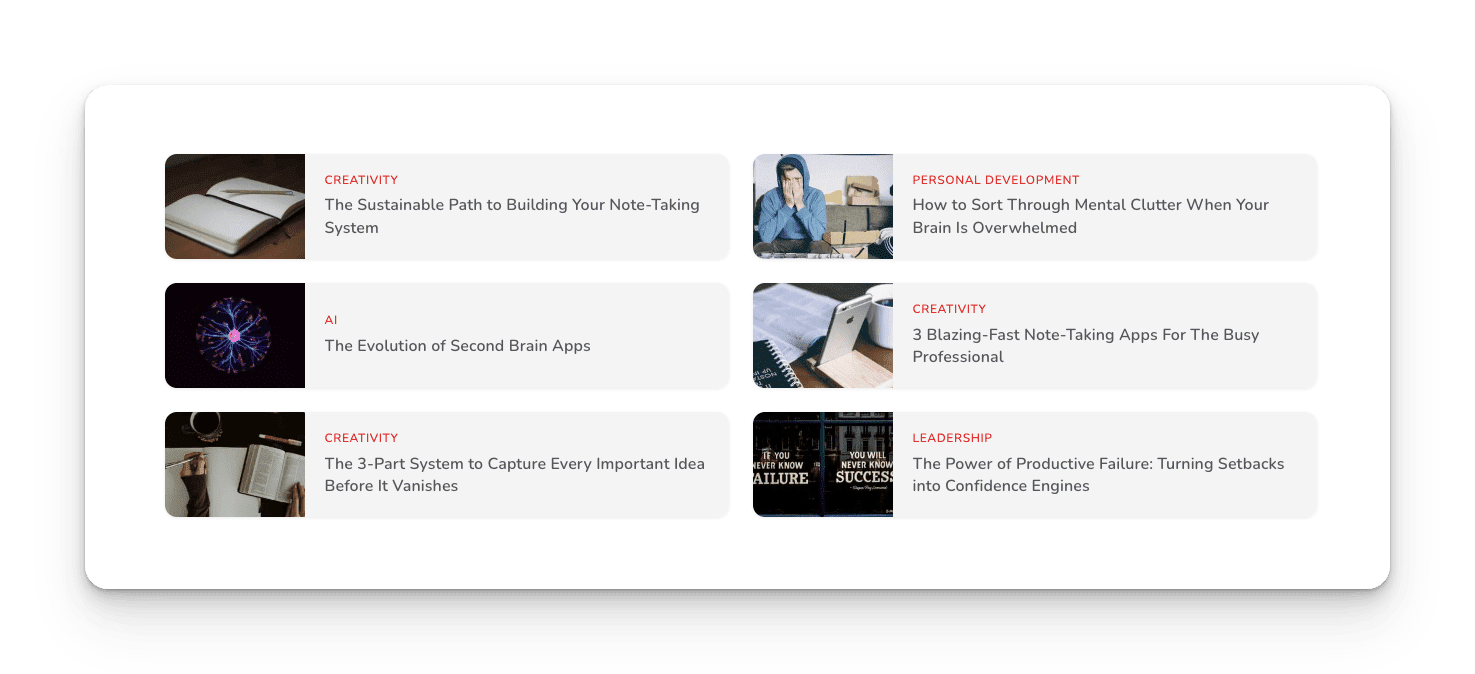
Blog Horizontal List is a compact variant. Smaller images, tighter layout. Good for showing more posts further down without overwhelming the page.
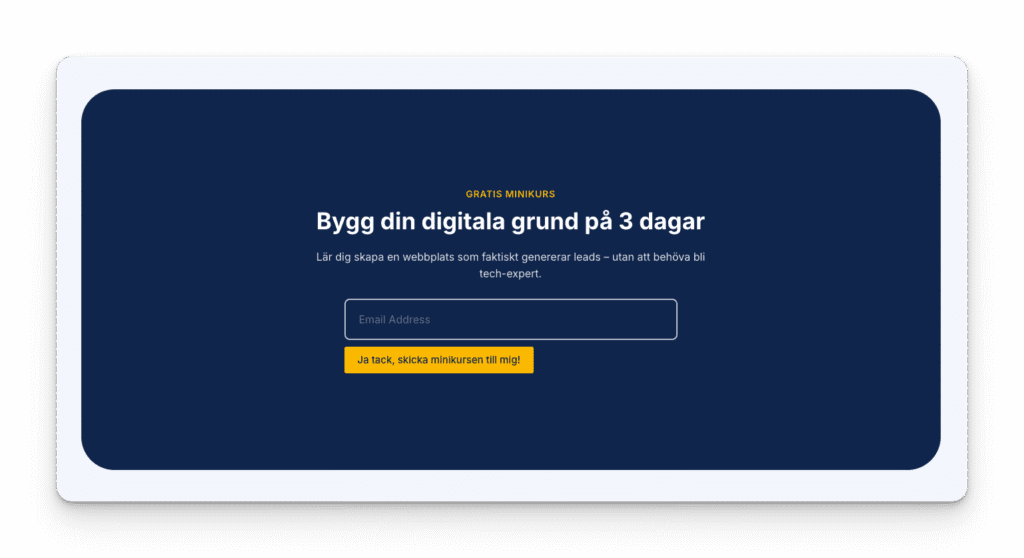
Blog CTA isn’t a post block at all. It’s a newsletter form that sits in the flow, styled to match the rest of the page.
The magic is a shared helper layer. When Blog Featured renders its three posts, it reports back: “I’ve shown posts 1, 2, and 3.” When Blog Grid runs its query, it first asks: “Which posts have already been shown?” and excludes them.
Result: each post appears exactly once, no matter how many blocks you stack.
You can also mix handpicked and dynamic freely. Choose the main featured post manually, let the sidebar fill automatically. Grid will still skip the handpicked post because it’s already marked as shown.
The One-Day Workflow
Here’s how the day actually went.
Morning: I started by describing the full page to Claude Code – what each section should do, how they should relate. Asked for an HTML mockup first. After two revisions, we had a working reference. Then I fed Claude the mockup, Blockstudio’s LLM file, and a spec for the first block: Blog Featured.
First version worked. Almost. Images didn’t scale right. Category label was misaligned. Ten minutes of fixes.
Then the first real challenge: WordPress renders blocks twice through its content filter. It’s a quirk most people never notice. But when you’re tracking state – “which posts have been shown” – it breaks things. First render shows posts 1, 2, 3 and marks them. Second render tries to exclude them, but the list is already consumed.
Solution: render caching. Each block caches its output on first render. Second render returns the cache. Took a couple hours to understand the problem and implement the fix.
Lunch.
Afternoon: Blog Grid worked on the first try – the exclusion logic was already in place. Blog Horizontal List was a variation of the same pattern. Blog CTA was mostly styling.
Between each block: review. What happens with too few posts? What if someone handpicks a deleted post? What if you combine category filters with handpicked posts?
Edge cases. That’s where bugs live.
By 4pm: four working blocks and a helper file that tied everything together.
Evening: Documentation. How each block works. What helper functions exist. Common problems and solutions. One hour. Future me will be grateful.
What to Watch Out For
Blockstudio data format quirks. The LLM file helps, but edge cases exist. Attribute values can come back as arrays, JSON strings, or nested objects depending on the field type. Build a helper function that normalizes everything to a clean format.
Editor vs frontend behavior. Blocks render differently in the editor. The exclusion system shouldn’t run there – you want to see all posts while editing, not a filtered view. Check for the editor context and adjust accordingly.
WordPress double-rendering. Test this early. If your blocks track state, you’ll hit this problem. Better to discover it on block one than block four.
CSS specificity with embedded forms. If you’re embedding something like FluentForms, their styles have high specificity. You’ll need !important declarations to override them. Not elegant, but necessary.
The Outcome
One system. Four blocks. Zero manual exclusion.
The blocks are now live, handling the archive page automatically. When I publish something new, it flows into the right spot. No maintenance required.
But the bigger takeaway isn’t the blocks themselves. It’s the workflow.
Mockup first – generated by AI, refined through conversation. LLM context file for accurate code generation. Build one component at a time with review between each. Test edge cases before moving on.
This pattern works for more than WordPress blocks. It’s how you take an idea to implementation in a day instead of a week.
Next time you’re looking at a build that feels like it should take a sprint, ask yourself: do you have a mockup? Do you have context files for your tools? Are you building incrementally with review, or saving all testing for the end?
The tools exist. The question is whether you’re using them.